 By Naman Gundaniya
AI Automation Ideas for Agencies That Pay Off Fast
The AI automations that pay off fastest for agencies are the ones that run every week for every client: report drafts from analytics data, meeting notes turned into tasks, brief intake, proposal first drafts and content QA against the brand guide. Start with one low-effort automation, keep a person approving anything a client sees, and measure the minutes it saves.
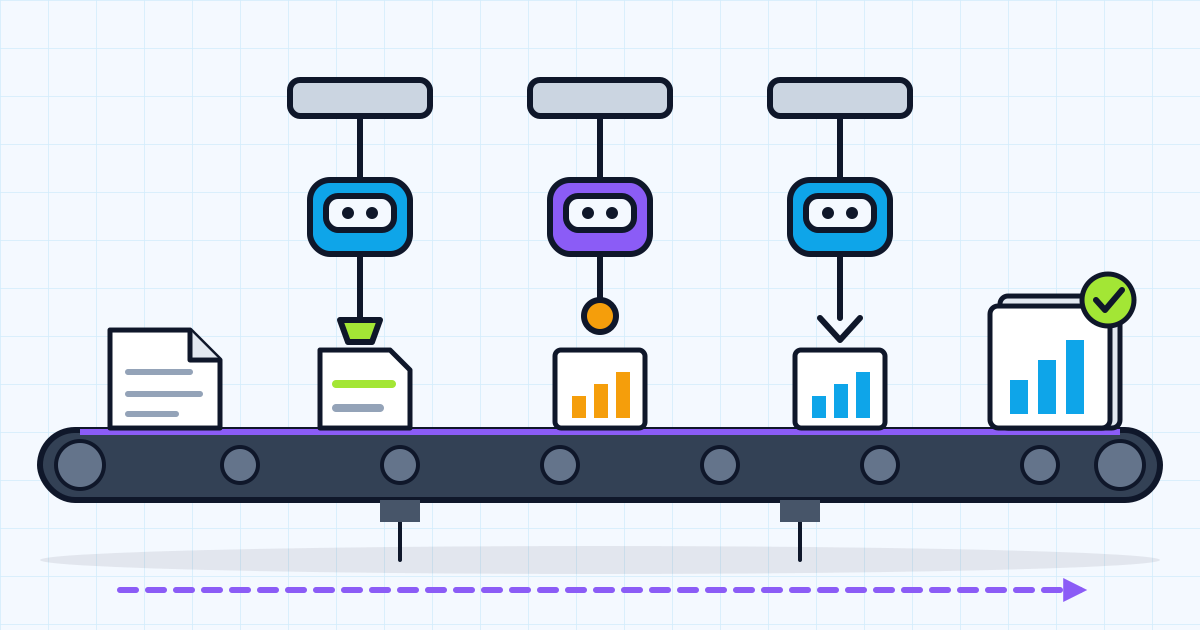
Agencies are full of work that is repeated across clients with small variations: the monthly report, the kickoff deck, the proposal, the QA pass before something goes live. That makes them a good fit for AI automation, because a workflow built once runs for every account.
Below are twelve automations grouped by area, ranked by how much effort they take to build, with a short sketch of how each one works. I have not put a fixed "hours saved" figure next to each, because that depends entirely on your client count and how you work today. Instead, the last section shows how to work out the number for your agency in an afternoon.
Which automations should an agency start with?
Start with automations that are low effort, run often and keep a person in the loop before anything reaches a client. The table ranks all twelve; the sections after it sketch how each one works.
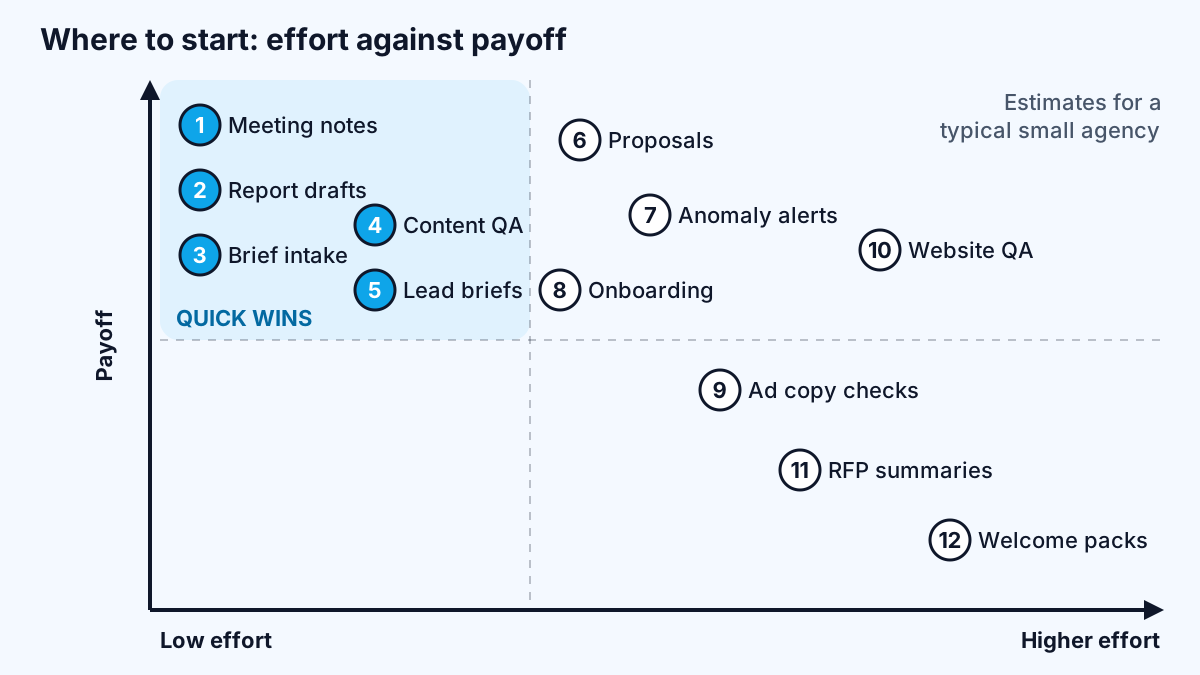
| # | Automation | Area | Effort | Runs |
|---|---|---|---|---|
| 1 | Meeting notes to tasks | Delivery | Low | Every client call |
| 2 | Monthly report drafts | Reporting | Low to medium | Monthly per client |
| 3 | Brief intake to project setup | Onboarding | Low | Every new project |
| 4 | Content QA against the brand guide | QA | Low | Every piece of content |
| 5 | Lead research briefs | Sales | Low | Every inbound lead |
| 6 | Proposal first drafts | Sales | Medium | Every proposal |
| 7 | Performance anomaly alerts | Reporting | Medium | Daily |
| 8 | Onboarding checklist and access requests | Onboarding | Medium | Every new client |
| 9 | Ad copy checks | QA | Medium | Every campaign |
| 10 | Website QA sweeps | QA | Medium to high | Every launch |
| 11 | RFP and long brief summaries | Sales | Medium | Occasional |
| 12 | Client welcome packs | Onboarding | Medium | Every new client |
Effort here means build effort for someone who knows the tools, assuming your data is reachable through an API. Your mileage depends on how tidy your systems are. An agency with every client's analytics, ad accounts and project boards set up the same way will build these far faster than one where each account manager has their own system, so standardising first is often the real first step.
Reporting automations
Reporting is usually the biggest recurring time sink, because it happens for every client every month.
2. Monthly report drafts. Pull the numbers automatically, let AI write the first draft of the commentary, and have the account manager edit it. Google's Analytics Data API exists to "programmatically access Google Analytics report data" and "automate complex reporting tasks", and the Search Console API lets you "query your search analytics". The sketch:
- Scheduled trigger on the first of the month.
- Fetch last month and the month before from each data source.
- Calculate the changes in code, not in the model, so the numbers are exact.
- Give the model the figures and last month's report; ask for a draft summary of what changed and possible reasons, marked as a draft.
- Drop the draft into the report template for the account manager to review.
7. Performance anomaly alerts. A daily check that compares traffic, conversions or ad spend with the usual range and posts to the team channel when something moves sharply, with a one-paragraph AI summary of what changed. The detection is plain arithmetic; the AI only explains.
Because reports are not urgent, they can run in bulk, one of the easiest ways to cut model costs. Anthropic's Message Batches API, for example, processes requests asynchronously, "reducing costs by 50 percent", with most batches finishing in under an hour.
Sales and proposal automations
Sales automations save senior people's time, which is usually the most expensive time in an agency.
5. Lead research briefs. When a contact form arrives, look up the company's public website, summarise what they do, and suggest which of your services fits. The salesperson gets a one-page brief before the first reply.
6. Proposal first drafts. Feed the discovery call notes, the client's brief and two or three of your past proposals for similar work into a structured prompt that drafts the scope, approach and timeline sections. Pricing stays human. Anthropic's guide to building effective agents describes this kind of "prompt chaining", where a task is decomposed "into a sequence of steps", as a good fit when a task can be split cleanly. Outline first, check the outline, then write each section.
11. RFP and long brief summaries. Turn a 40-page tender into a page of requirements, deadlines, evaluation criteria and questions to ask. It is the same extraction pattern as invoices, which I covered in AI document processing.
Onboarding automations
Onboarding is where agencies lose the most goodwill to slow, manual admin.
3. Brief intake to project setup. A structured intake form, an AI step that turns free-text answers into a clean brief, and an automation that creates the project, tasks and folders in your tools. Missing information gets flagged before kickoff instead of discovered in week two.
8. Onboarding checklist and access requests. A checklist per service line, with automated emails asking the client for each access (analytics, ad accounts, CMS), and reminders until each one is granted. Set it up so access is granted to the client-owned account, not a personal one; I explained why in who owns your automations.
12. Client welcome packs. Generate a tailored welcome document from the signed scope: who is on the team, what happens in the first month, how to reach you.
Delivery and QA automations
QA automations catch mistakes before the client does, which protects the relationship as much as it saves time.
1. Meeting notes to tasks. Take the transcript of a client call, extract decisions, action items and owners, and create the tasks in your project tool for someone to confirm. This is often the quickest win of all, because it runs after every call.
4. Content QA against the brand guide. Check drafts for the client's banned words, tone rules, required disclaimers, broken links and missing metadata. Rules that can be checked in code should be; the AI handles the fuzzy ones such as tone.
9. Ad copy checks. Check character limits in code and have AI flag claims that may need substantiation or conflict with the client's guidelines, for a person to review.
10. Website QA sweeps. Before launch, crawl the staging site for broken links, missing titles and descriptions, and placeholder text, then have AI review key pages against the brief.
How do you work out the hours each automation saves?
Estimate hours saved from your own numbers: minutes per run today, multiplied by runs per month, multiplied by the share of the work the automation removes. Then subtract the time people spend reviewing the output.
For example, if a report takes a certain number of hours per client today and you run it for every client each month, measure how long the edited AI draft takes instead during a short pilot. The difference, multiplied by your client count, is the saving. Do not use anyone else's estimate, including a vendor's; measure a few real runs.
My AI automation audit has a scoring sheet for exactly this, ranking tasks by value, risk and effort so you build the right one first. If you are choosing tools, n8n vs Zapier vs Make compares how each prices multi-step workflows, which matters when an automation runs for every client.
Three rules keep agency automations safe:
- A person approves anything client-facing. AI drafts reports, proposals and emails; people send them.
- Respect client data agreements. Check what your contracts and data protection rules allow before sending client data to a model provider.
- Build in the agency's accounts. Document each workflow so it survives staff changes.
Work with me
I build automations for agencies, from report pipelines to proposal and onboarding workflows, in your own accounts with documentation your team can maintain. See workflow automation and AI agent development, browse my work, and book a scoping call to pick your first one.
Frequently asked
What can AI automate for a marketing agency?
AI can automate first drafts of monthly reports, meeting notes into tasks, brief intake, proposal drafts, lead research, onboarding checklists and content QA against brand guidelines. The best candidates run for every client every month and can be reviewed quickly by a person before anything reaches the client.
How much time can AI automation save an agency?
It depends on your client count and current process, so measure it. Multiply minutes per run by runs per month and the share of work removed, then subtract review time. A short pilot on real work gives a more reliable number than any published estimate.
Should agencies let AI send reports to clients automatically?
No. Let AI draft the commentary from exact numbers calculated in code, and have an account manager review and send it. Client-facing errors cost more than the time saved, and the review usually takes far less time than writing from scratch.
Which AI automation should an agency build first?
Start with a low-effort automation that runs often, such as turning meeting notes into tasks or drafting monthly report commentary. Score your candidate tasks by value, risk and effort, build one, measure the saving, then move to the next.
Do agencies need custom code or are no-code tools enough?
No-code tools such as n8n, Make and Zapier handle most agency automations, especially reporting and onboarding. Custom code makes sense when an automation runs for many clients at high volume, needs careful testing, or becomes a service you sell.
Sources
Related services
Building something like this?
Naman Gundaniya takes on full-stack and AI projects fixed quote after a free 30-minute scoping call, replies within 24 hours.
Get in touch