 By Naman Gundaniya
n8n vs Zapier vs Make for AI Workflows
Zapier is the easiest to start with and charges per action step, so it gets expensive as AI workflows grow. Make is visual and cheaper per step, charging credits per module. n8n charges per whole workflow run and can be self-hosted, which suits high-volume or data-sensitive AI workflows. Move to custom code when the workflow becomes part of your product or needs real tests.
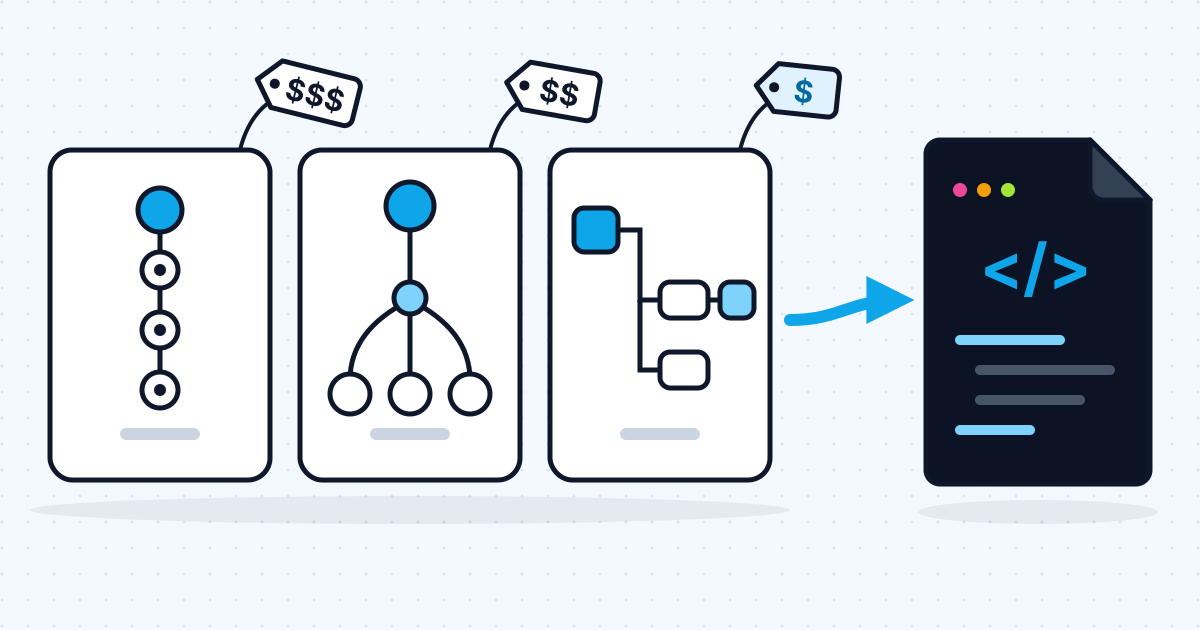
Most comparisons of these three tools list features. The thing that actually decides it for AI workflows is how each one counts usage, because AI workflows tend to have several steps and run often. So rather than a feature grid, this post takes one realistic AI workflow, maps it onto each tool, and works out what each pricing model charges for it. Then it covers the question most comparisons skip: when to stop using any of them and write code.
Prices below are from each vendor's official pricing page as of November 2026. They change, so check before you buy.
The example workflow
The workflow is a common first AI automation: triage incoming support emails. It has one trigger and three actions.
- Trigger: a new email arrives in the support inbox.
- AI step: a model classifies the email (billing, bug, sales, other) and drafts a reply.
- Action: create a ticket in the helpdesk with the category and draft.
- Action: post a summary to the team's chat channel.
Assume 2,000 emails a month. That is one run per email, so 2,000 runs.
How does each tool charge for the same workflow?
Each tool counts something different, and that difference matters more than the headline plan price.
Zapier counts tasks. Its pricing page says a task is a successful action step, including AI by Zapier and Code by Zapier steps, while triggers, filters, paths and failed actions do not count. AI steps are priced by model tier, so an AI step may cost more than one task. The calculation, assuming each AI step counts as one task:
- 3 action steps x 2,000 runs = 6,000 tasks a month (more if the AI step costs more than one)
- The Pro plan tiers listed are 2,000 tasks at $49/month and 10,000 tasks at $129/month on annual billing ($73.50 and $193.50 billed monthly)
- So this workflow needs the 10,000-task tier: $129/month annually, or $193.50 monthly
Make counts credits. Its pricing page says "most actions consume 1 credit", and a run uses one credit per module that runs. Make's credits documentation adds that AI modules using Make's own AI provider are charged by tokens and model. As one example from that page, Claude Sonnet 4.5 gives 301 input tokens and 60 output tokens per credit. If you connect your own AI provider account on a paid plan, you pay Make only for operations and pay the provider for tokens. With your own provider key:
- About 4 modules x 2,000 runs = about 8,000 credits a month, plus model tokens billed by your provider
- Through Make's AI provider instead, a prompt of 1,500 input tokens and a 300-token reply on Sonnet 4.5 would add 1,500 / 301 + 300 / 60 = about 5 + 5 = 10 more credits per run, or about 20,000 more a month
- Make prices plans by monthly credit volume; check the current price for your tier on its pricing page
n8n counts executions. Its pricing page says "An execution is a single run of your entire workflow", regardless of how many steps it has. The model is called with your own provider credentials, so tokens are billed by the provider.
- 1 execution x 2,000 runs = 2,000 executions a month
- The cloud Starter plan includes 2,500 executions at €20/month billed annually; Pro includes 10,000 at €50/month
- So this workflow fits Starter: €20/month annually, plus model tokens
- The self-hosted community edition has no licence fee; you pay for the server and your own time
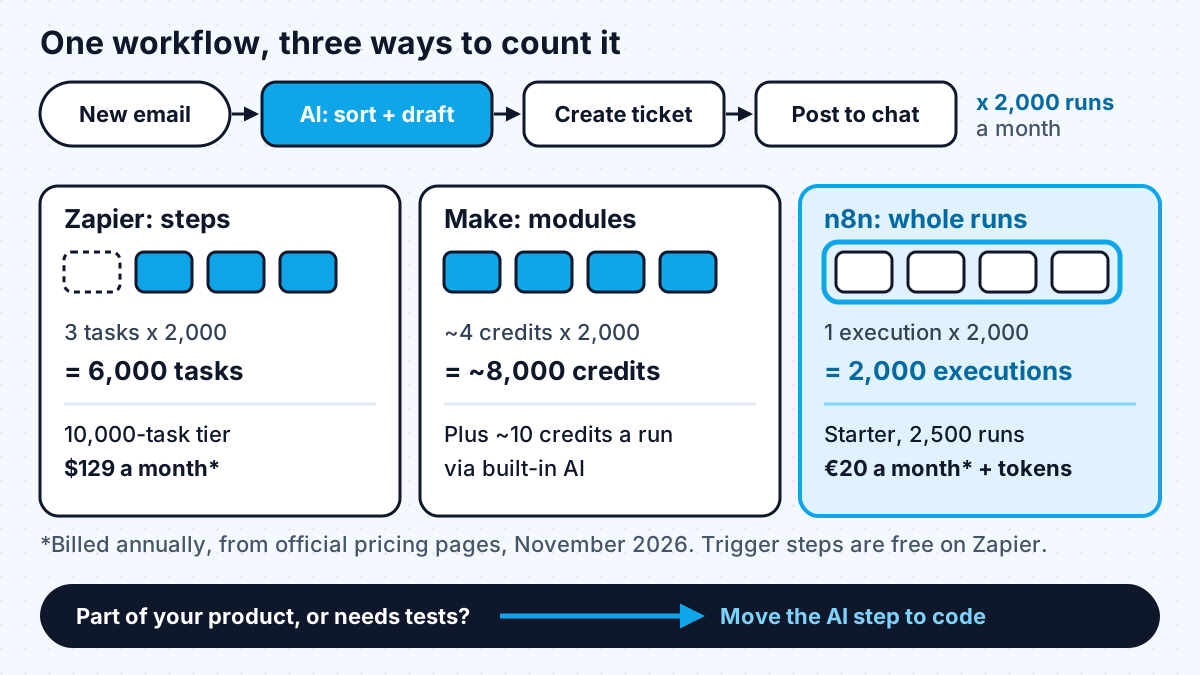
The pattern is clear. Per-step pricing (Zapier) and per-module pricing (Make) scale with the number of steps, and AI workflows tend to gain steps over time: a validation step, a lookup, a fallback. Per-run pricing (n8n) does not.
What about AI features, ease of use and hosting?
Price is not the only factor. Who maintains the workflow and where your data can live often decide it.
| Zapier | Make | n8n | |
|---|---|---|---|
| Counts usage by | Action step (task) | Module run (credit) | Whole workflow run (execution) |
| AI steps | AI by Zapier steps, plus Agents and Chatbots as add-ons | AI modules via Make's provider or your own | AI Agent node with a chat model and tools; your own credentials |
| Learning curve | Lowest | Medium, visual canvas | Highest, closest to code |
| Self-hosting | No | No | Yes, community edition |
| Best fit | Non-technical teams, low volume, many app integrations | Visual builders, branching logic, moderate volume | Technical teams, high volume, data control |
On self-hosting, read the licence before you plan anything beyond internal use. n8n's Sustainable Use License says you may use or modify the software "only for your own internal business purposes or for non-commercial or personal use". Running it for your own operations is fine. Building a product that resells n8n workflows to your customers needs a closer look, and usually a commercial agreement.
Whichever tool you choose, set it up in your own account from the start. I covered why in who owns your automations when the freelancer leaves.
When should you move an AI workflow to custom code?
Move to code when the workflow stops being an internal shortcut and starts behaving like software. These are the signals I look for on client work.
- It is part of your product. If customers trigger it or see its output inside your app, it needs the same code review, version control and deployment as the rest of the product.
- You need real tests. Visual tools make it hard to run a set of saved examples through every change. For an AI step whose quality matters, an evaluation set run in code is far easier to maintain.
- The logic has outgrown the canvas. Deep branching, loops over large lists, retries with backoff and complex error handling are clearer as a few hundred lines of TypeScript or Python than as fifty boxes.
- Usage pricing dominates. At high volume, per-step or per-run charges can exceed the cost of a small service on your own infrastructure. Do the arithmetic above with your real volumes.
- Latency matters. If a person is waiting on the result, you want control over streaming, timeouts and caching.
You do not have to move everything at once. A common pattern is to keep the workflow tool for triggers and simple integrations and call a small code service for the AI step. That service can have tests and logging while the business still sees and edits the surrounding workflow.
If you are not sure which workflows deserve this effort at all, start with an AI automation audit.
Work with me
I build AI workflows in n8n, Zapier or Make when that is the right fit, and move them to code when they outgrow it. See workflow automation and AI agent development, or browse my work and book a scoping call.
Frequently asked
Is n8n cheaper than Zapier for AI workflows?
Usually, for multi-step workflows. Zapier counts each successful action step as a task, while n8n counts a whole workflow run as one execution. In the example here, 2,000 runs of a three-action workflow need about 6,000 Zapier tasks but only 2,000 n8n executions. For very small, simple workflows the difference is small and Zapier's ease of use may matter more.
Which is easier to use: n8n, Zapier or Make?
Zapier is the easiest for non-technical teams, with a linear step-by-step builder. Make uses a visual canvas that handles branching well but takes longer to learn. n8n is the most technical of the three and suits teams comfortable with JSON, expressions and occasional code.
Can I self-host Zapier or Make?
No. Zapier and Make are cloud services. n8n offers a self-hosted community edition, which is free to run for your own internal business purposes under its Sustainable Use License; you pay for the server and maintenance.
Do I pay for the AI model separately?
It depends on the tool and how you connect the model. With n8n, and with Make when you connect your own AI provider, you pay the model provider directly for tokens. With Zapier's AI steps and Make's built-in AI provider, AI usage is charged through the platform as tasks or credits.
When should I replace no-code automation with custom code?
When the workflow becomes part of your product, needs automated tests, has logic too complex for a visual canvas, or costs more in usage fees than a small service would to run. Many teams keep the workflow tool for triggers and simple steps and move only the AI step into code.
Sources
Related services
Building something like this?
Naman Gundaniya takes on full-stack and AI projects fixed quote after a free 30-minute scoping call, replies within 24 hours.
Get in touch