 By Naman Gundaniya
Rolling Out AI Tools to a Team Without Chaos
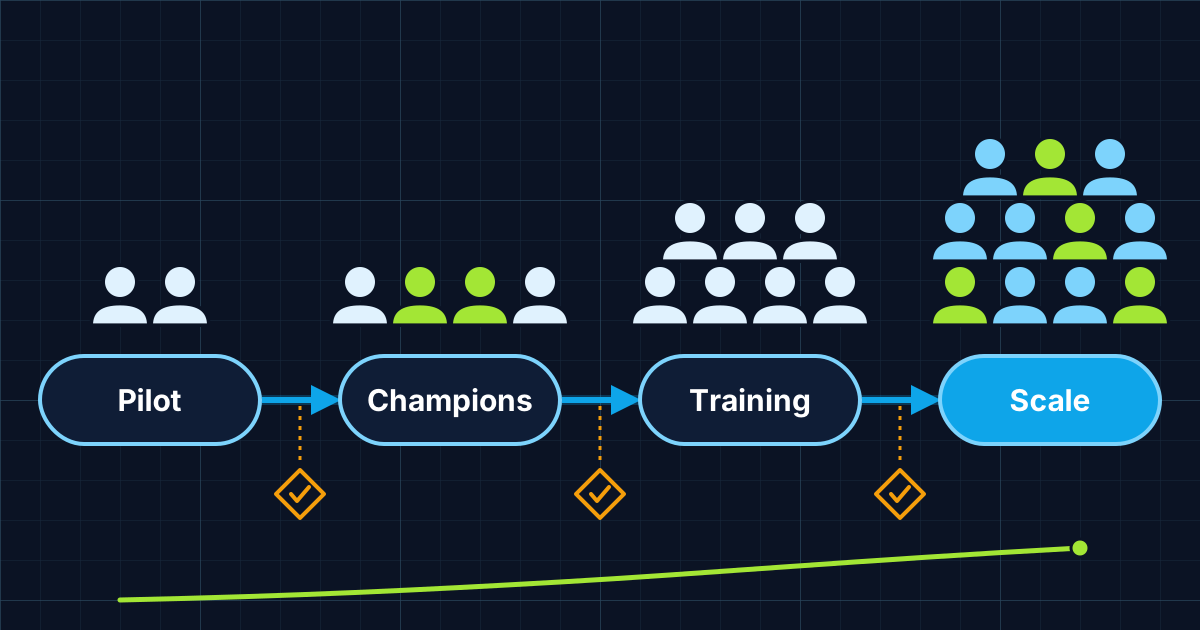
Rolling out AI tools well takes four phases: a small pilot on real work, a set of champions who share what works, short hands-on training built from those examples, and a measured scale-up. Licences alone do not create adoption. Measure weekly active use and tasks changed, not seats bought, and fix the blockers each phase shows you.
Many companies buy AI licences for everyone, send an announcement email and wait. A few weeks later a handful of enthusiasts use the tool daily, most people tried it twice, and the renewal conversation is awkward. The tool was rarely the problem. The rollout was.
This is the phased plan I suggest to teams adopting AI assistants, coding tools or a new AI feature in their own software. It assumes you have already chosen the tool; if not, start with build vs buy for AI features.
Why does buying AI licences not lead to adoption?
Licences give people access, not a reason or a method to change how they work. BCG's 2025 AI at Work survey of more than 10,600 people found that regular use among frontline employees had stalled at 51%, while more than three-quarters of leaders and managers used generative AI several times a week. Only one-third of employees said they had been properly trained.
The same survey points to the two levers that matter most. Regular use was sharply higher among employees who received at least five hours of training with access to in-person coaching. And the share of employees who felt positive about generative AI rose from 15% to 55% with strong leadership support, yet only about a quarter of frontline employees said they got that support.
So adoption is mostly a people problem: time to learn, examples that fit the job, and a manager who visibly uses the tool.
The four-phase rollout plan
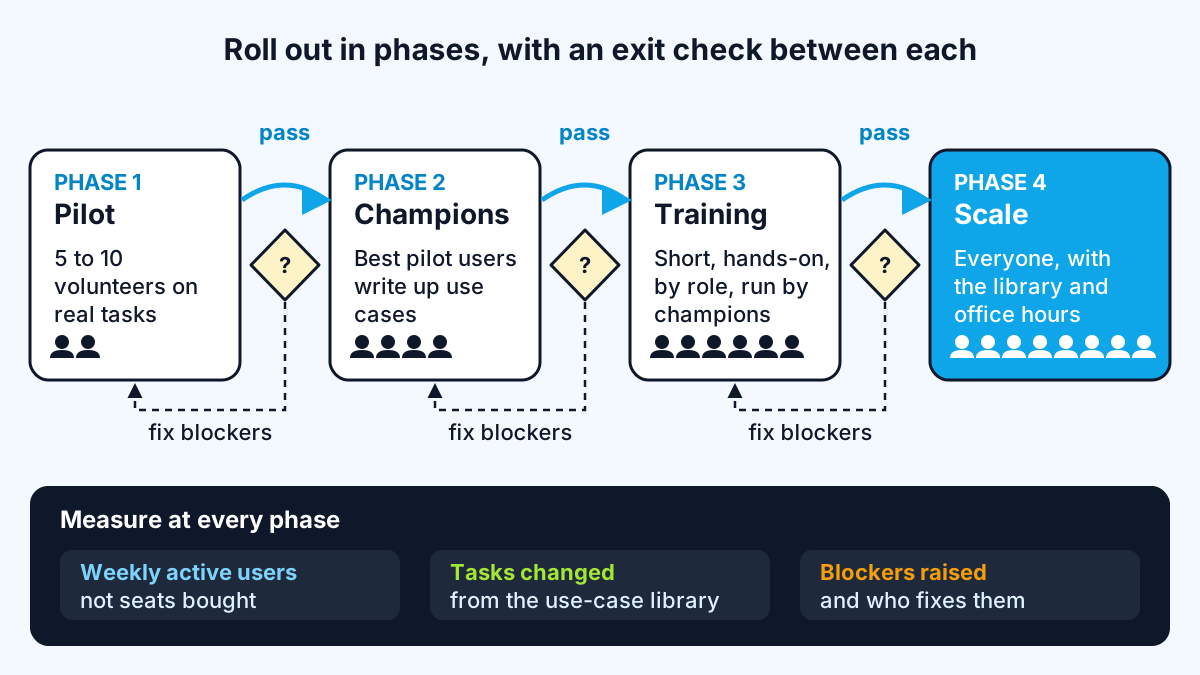
The four phases are pilot, champions, training and scale, and each one has an exit check before you move on. Plan roughly a month per phase for a team of a few dozen people, faster for smaller teams.
Phase 1: pilot on real work
Pick five to ten people across two or three roles, including at least one sceptic. Give them the tool, a short AI usage policy and one instruction: use it on your actual work and write down what helped and what did not.
Exit check: at least three repeatable tasks where the tool clearly saves time or improves quality, and a list of blockers such as missing integrations, unclear data rules or poor results on your documents.
Phase 2: champions and a use-case library
The pilot users who got the most out of the tool become champions. Microsoft's adoption guidance describes AI champions as people who test useful, responsible ways to apply AI to everyday work and share real examples colleagues can use. It is equally clear about the limits: champions don't replace IT, compliance, training or adoption programme teams. Give them time in their week for it, or it will not happen.
Their main output is a use-case library: one short entry per task, written in the team's own language.
- Task: what job this helps with, such as "first draft of a client proposal".
- Who: which roles use it.
- How: the prompt or steps, with the context to include.
- Check: what a person must verify before using the output.
- Saves: a rough estimate from the pilot, honestly labelled as an estimate.
Exit check: ten to fifteen entries covering the main roles, each tested by someone other than its author.
Phase 3: hands-on training from real examples
Train in short, practical sessions organised by role, run by champions, using the library. Generic "intro to AI" talks rarely change behaviour; watching a colleague do your kind of task does. Aim for several hours per person spread over a few weeks rather than one long session, in line with BCG's finding on the five-hour threshold.
Cover three things in every session: how to give the tool context, how to iterate rather than accept the first answer, and how to check output. My write-up of what the top 1% of AI users do differently is a useful outline.
Exit check: most attendees have used the tool on a real task within a week of the session.
Phase 4: scale with support
Now open access to everyone, with the library, a channel for questions and weekly office hours with champions for the first month. Managers go first: if team leads share how they use the tool, others follow.
Exit check: weekly active use holds steady for a month without reminders.
How do you measure AI adoption in a team?
Measure whether people use the tool regularly and whether work changed, not how many licences you bought. Most business AI tools have admin dashboards; GitHub's Copilot metrics, for example, report daily active users and an acceptance rate showing how often developers accept suggestions.
| Metric | What it tells you | Watch out for |
|---|---|---|
| Weekly active users / licences | Whether access turned into habit | High numbers from one-off logins |
| Use by role or team | Where adoption is stuck | Averages hiding a team at zero |
| Tasks changed | Which library entries are in real use | Self-reported, so keep it simple |
| Time or quality on a few tasks | Whether it helps, measured before and after | Measure a baseline before rollout |
| Blockers raised and fixed | Whether support is working | A growing list nobody owns |
Pair the numbers with a short survey each phase asking what people use it for and what stops them. The blockers are usually more useful than the scores.
Common rollout mistakes
Most failed rollouts make one of these mistakes:
- Everyone at once. No examples, no champions, and the first bad experience spreads faster than the good ones.
- No data rules. People either avoid the tool or paste things they should not. Publish the policy before the pilot.
- Champions with no time. Volunteering on top of a full job lasts a few weeks.
- Measuring seats. Licences assigned is not adoption.
- Ignoring integrations. If the tool cannot reach the documents or systems people need, they will stop using it. That is where custom work often pays off, as in my guide to why AI pilots stall.
Work with me
I help teams connect AI tools to the systems they already use and build the custom pieces a rollout uncovers. See AI integration and workflow automation, browse my work, and book a call to plan your rollout.
Frequently asked
How long does it take to roll out AI tools to a team?
For a team of a few dozen people, a phased rollout of pilot, champions, training and scale typically takes around three to four months, with each phase lasting a few weeks. Smaller teams can move faster. The exit checks matter more than the calendar.
What is an AI champion?
An AI champion is an employee who experiments with an AI tool, shares practical examples with colleagues and gathers feedback. Champions support adoption but do not replace IT, security, compliance or formal training. They need protected time in their week to do it.
How do you measure AI adoption?
Measure the share of licensed users who use the tool every week, broken down by team or role, plus which tasks have actually changed. Add before-and-after measures of time or quality on a few key tasks. Seats purchased is not an adoption metric.
Why do employees not use AI tools their company bought?
The common reasons are lack of training, no examples that fit their job, unclear rules about what data is allowed, and little visible support from managers. BCG's 2025 survey found only one-third of employees felt properly trained, and frontline regular use had stalled at 51%.
Sources
Related services
Building something like this?
Naman Gundaniya takes on full-stack and AI projects fixed quote after a free 30-minute scoping call, replies within 24 hours.
Get in touch