 By Naman Gundaniya
MCP Server for Your Internal Tools: Scope, Cost, Risks
An MCP server lets AI assistants such as Claude or Cursor use your internal tools through one standard interface: look up a customer, search documents, create a ticket. The work is less about the protocol and more about scope and security: which actions to expose, whose permissions they run with, which need human approval, and how every call is logged.
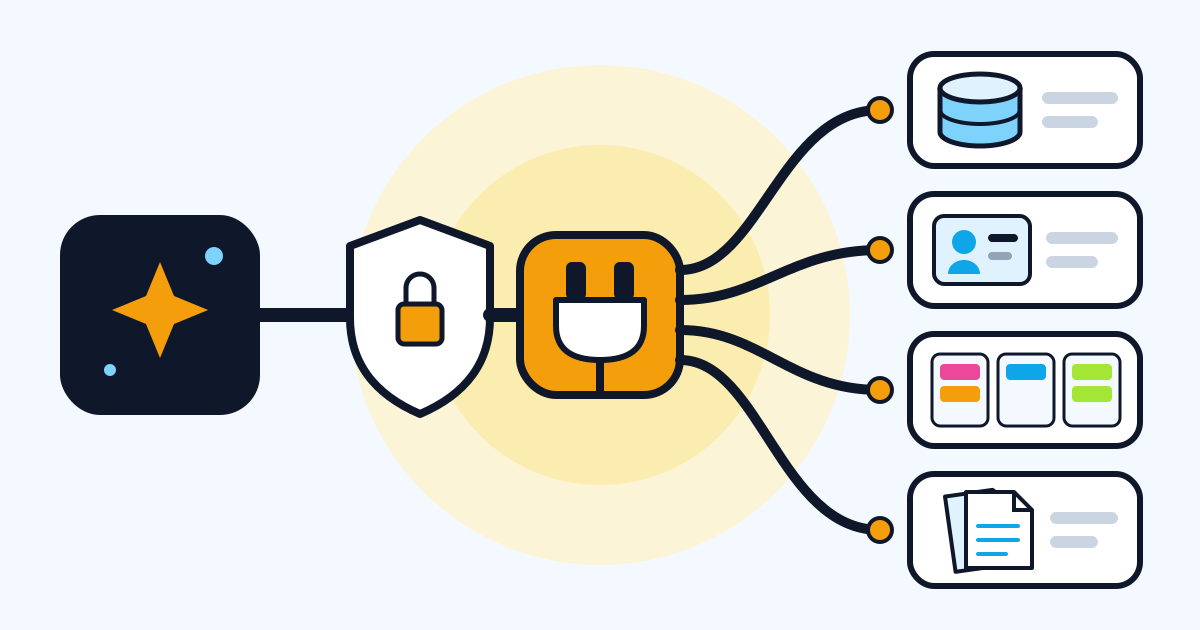
Buyers usually come to me with one of two requests. "We want our AI assistant to see our data", which is mostly a read-only project, or "we want it to do things in our systems", which is a bigger and riskier one. This guide explains what an MCP server is in business terms, what decides the scope and cost, where the risks are, and a checklist to scope your own.
What is an MCP server, in business terms?
An MCP server is a small service that describes your internal tools to AI assistants in a standard format and runs those tools when an assistant asks. Anthropic introduced the Model Context Protocol in November 2024 as "a universal, open standard for connecting AI systems with data sources", shipping example servers for Google Drive, Slack, GitHub, Git, Postgres and Puppeteer, according to its announcement.
The business value is that you build the connection once. Any assistant that speaks MCP can use it, so you are not rebuilding integrations each time a team switches tools. My design system MCP server is a small example: it packages a design system so coding agents such as Claude Code and Cursor build on-brand UI with the real components, and the same server works across MCP clients because the protocol is open.
For a hands-on build, see how to build an AI agent with MCP and Claude. For how MCP relates to agent-to-agent protocols, see MCP vs A2A.
What should the first version expose?
The first version should expose a few read-only tools that answer the questions people ask most, and nothing that writes. Read-only tools deliver value quickly and carry far less risk, and they show you how people actually use the assistant before you hand it any power.
| Tool type | Examples | Risk | First version? |
|---|---|---|---|
| Read, narrow | Look up an order by ID, get a customer's plan | Low | Yes |
| Read, broad | Search all documents, run a report | Medium: data exposure | Yes, with filters and limits |
| Write, reversible | Create a draft, add a note, open a ticket | Medium | Often, with confirmation |
| Write, external or costly | Send an email, issue a refund | High | Later, with approval |
| Destructive or admin | Delete records, change permissions | Very high | Usually never |
Design tools around tasks, not around your database tables. "Get open tickets for this customer" is a better tool than "run SQL", because it is easier for the model to use correctly and much easier to secure.
How do you keep an MCP server secure?
Run every tool with the permissions of the person using it, expose the minimum scope, validate every input, keep a human in the loop for risky actions and log everything. The MCP project publishes security best practices, and its rules are worth knowing even as a buyer.
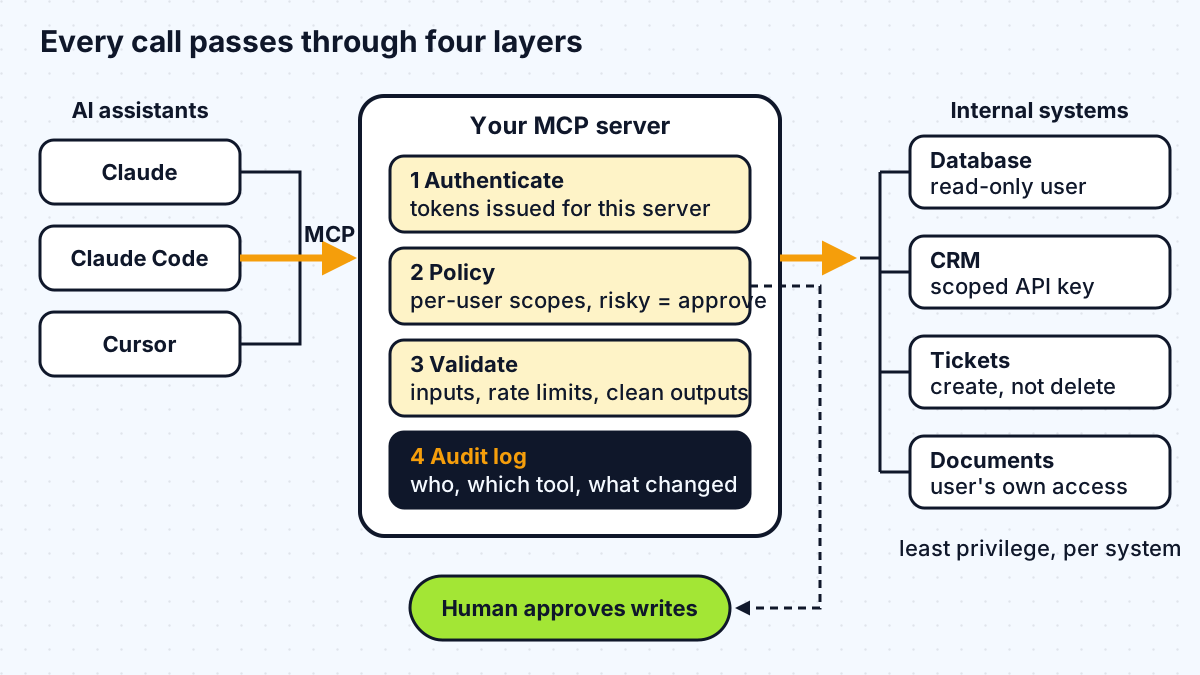
The points I check on every MCP project:
- No token passthrough. The security guidance is explicit: "MCP servers MUST NOT accept any tokens that were not explicitly issued for the MCP server." Your server authenticates the user itself and calls internal systems with its own scoped credentials.
- Least-privilege scopes. The same document warns against omnibus scopes such as
files:*oradmin:*granted up front, and recommends starting with a minimal set and asking for more only when a privileged action is first attempted. - Server-side checks. The tools specification says servers "MUST" validate all tool inputs, implement proper access controls, rate limit tool invocations and sanitise tool outputs.
- A human in the loop. The same specification says "there SHOULD always be a human in the loop with the ability to deny tool invocations." For write tools, I build approval into the server's own policy rather than relying on the assistant to ask. My post on human-in-the-loop approvals for AI agents covers the patterns.
- Untrusted hints. Tool annotations such as "read only" help clients display tools, but the specification says clients "MUST consider tool annotations to be untrusted unless they come from trusted servers." Enforcement belongs in your server.
- Care with local servers. Servers installed on employees' machines run with their privileges. The guidance asks clients to show the exact command before running a new local server and recommends sandboxing. For company tools, I usually prefer one remote server the team controls.
What are the main risks?
The main risks are data leaking to people who should not see it, an assistant taking an action nobody intended, and a compromised token reaching more than it should. Each has a specific design answer:
- Over-broad access. One user retrieves another team's data because the server used a shared admin credential. Answer: per-user authorisation on every call.
- Prompt injection through data. A document or ticket contains instructions the model follows. Answer: treat tool outputs as data, keep write tools behind approval, and limit what a single conversation can do.
- Confused deputy. A proxy server lets an attacker obtain access through someone else's consent. The security guidance describes this case and requires per-client consent for proxy servers.
- Silent failure. A tool breaks after an internal API changes and the assistant improvises. Answer: monitoring, clear tool error messages and tests that call each tool.
What drives the cost of an MCP server project?
The cost is driven by the number and type of tools, the state of the internal APIs behind them, the authentication model, and how much approval and audit tooling you need. The protocol itself is the cheap part.
The main drivers, roughly in order of impact:
- Internal API readiness. Clean, documented APIs make tools quick to build. Systems with no API, or only a database, mean building that layer first.
- Write tools. Each one needs validation, approval flows and tests for what happens when it is misused.
- Authentication. Single sign-on with per-user permissions is more work than a single service account, and nearly always worth it.
- Number of systems. Five systems with two tools each is more work than one system with ten tools.
- Hosting and compliance. Where the server runs, data residency, log retention and security review.
I do not quote a standard price, because those drivers vary too much between companies; I scope each project on a call. For market rates when hiring, see how much it costs to hire an AI developer.
What are the phases of an MCP server project?
An MCP server project runs in four phases, and the first one decides how smooth the rest will be.
- Discovery. List the questions and tasks people want help with, the systems involved, who may see what, and which actions are off-limits.
- Read-only pilot. Build a handful of read tools with per-user auth and logging, connect them to the assistant your team already uses, and watch real usage.
- Write tools with approval. Add the most requested actions one at a time, each with validation, approval and tests.
- Hardening and handover. Monitoring, rate limits, documentation of every tool, an owner on your side and a process for adding tools.
How do you scope your own MCP server?
Answer these questions before talking to any developer, and the scoping call will take half the time:
- Which assistants will connect: Claude, Cursor, an internal agent, something else?
- What are the ten most common questions or tasks it should handle?
- Which systems hold the answers, and do they have APIs?
- Should it act as each user, with their permissions, or as a service?
- Which actions must never be possible through the assistant?
- Which actions need a person to approve them?
- Where must the server run, and what must be logged and for how long?
- Who on your team will own it after launch?
Work with me
I design and build MCP servers that give AI assistants safe, scoped access to internal tools, from discovery to handover. See MCP server development and AI integration, or browse my work and book a scoping call.
Frequently asked
What is an MCP server used for in a business?
An MCP server lets AI assistants use a company's internal tools and data through the Model Context Protocol, an open standard. Typical uses are answering questions from internal systems, searching documents, looking up customers or orders, and, with approval steps, creating tickets or drafts.
Is it safe to connect AI assistants to internal systems with MCP?
It can be, if the server authenticates each user, runs tools with that user's permissions, exposes only the minimum scope, validates inputs, requires human approval for risky actions and logs every call. The MCP security guidance also forbids passing through tokens not issued for the server.
How much does a custom MCP server cost to build?
It depends on the number and type of tools, whether your internal systems have usable APIs, the authentication model and the approval and audit requirements. A read-only server over well-documented APIs is the smallest case; write tools across several systems with single sign-on is much larger. A scoping call is the reliable way to price it.
Should an MCP server have write access to business systems?
Start without it. A read-only first version delivers value with far less risk and shows how people use the assistant. Add write tools one at a time, each with input validation, per-user permissions and human approval for anything external, costly or hard to undo.
Sources
Related services
Building something like this?
Naman Gundaniya takes on full-stack and AI projects fixed quote after a free 30-minute scoping call, replies within 24 hours.
Get in touch