 By Naman Gundaniya
What Is an AI Integration Developer? Role, Skills, Cost
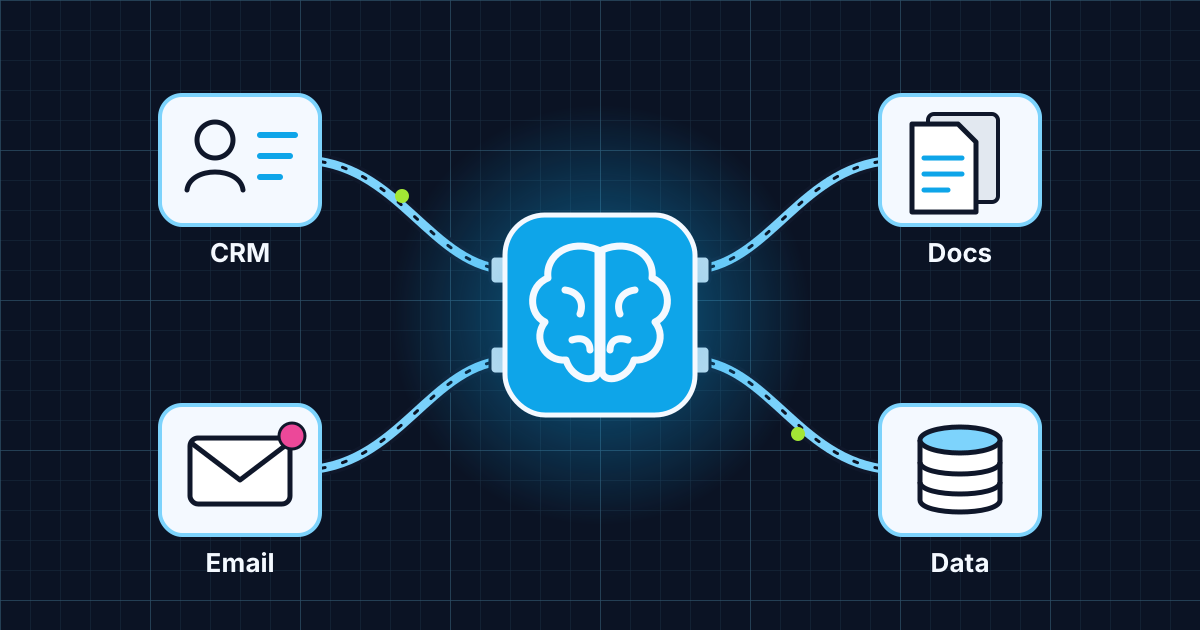
An AI integration developer connects AI models to the systems a business already runs, such as its CRM, inbox, documents, database and workflow tools, so the model can read the right data and take approved actions. The job is mostly software integration: APIs, permissions, data flow, validation and monitoring, with the model as one component.
Search for this title and most of what you find is job posts and marketplace gigs. That is a sign of demand rather than clarity: Upwork's In-Demand Skills 2026 report found AI integration work grew 178% year over year on its US marketplace, based on freelancer earnings from January to December 2025, as reported by SelfEmployed. Plenty of people want the work done. Fewer can describe what good looks like.
This post defines the role from the practitioner side, with the integration patterns I build, the skills that matter and how projects tend to be priced.
What does an AI integration developer actually do?
They make a model useful inside your business by wiring it to your data and tools, safely. A chat window that knows nothing about your customers is a toy; the same model with scoped access to your CRM, help centre and order system is a product.
In practice the work splits into four jobs:
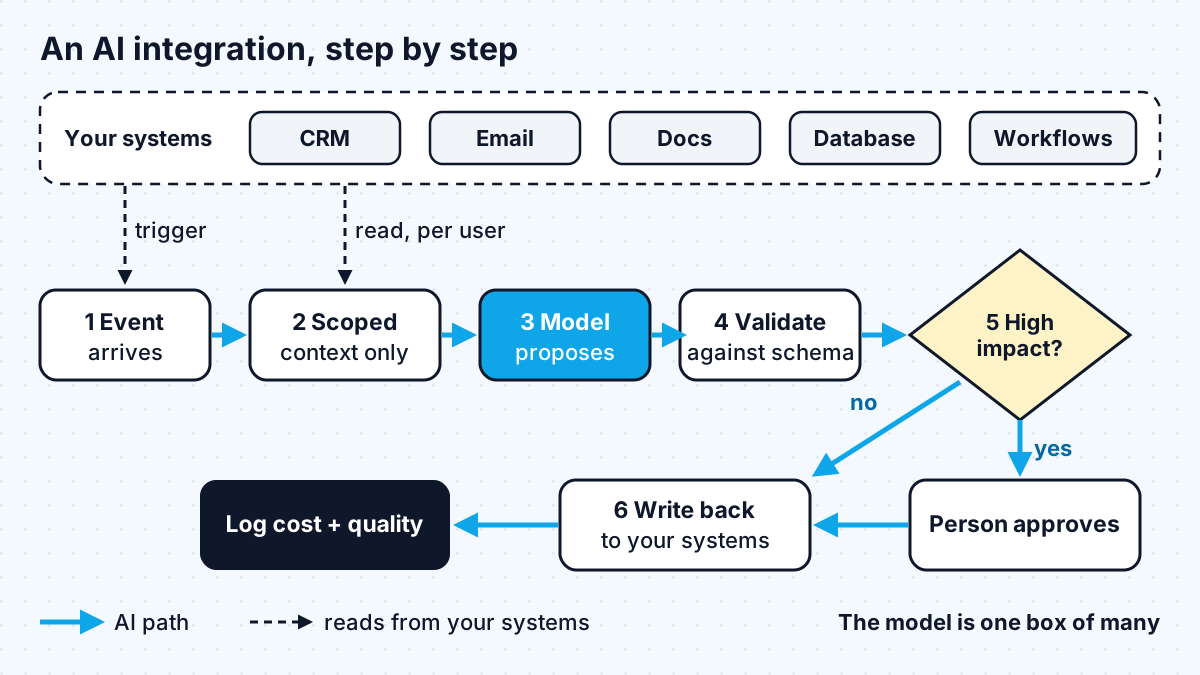
- Connect data in. Pull the records, documents or messages the model needs, through APIs or a retrieval index, and only the ones the current user is allowed to see.
- Connect actions out. Expose a small set of tools the model can call, such as "create a draft reply" or "update a deal stage", with validation on every input.
- Shape the flow. Decide where the AI step sits in a workflow: triggered by an event, called from your app, or run in the background on a queue.
- Keep it observable. Log every call, track cost and quality, and give someone a switch to turn it off.
The model itself is rarely the hard part. The hard part is everything around it, which is why this role sits closer to a backend or integration engineer than to a data scientist. If you are unsure where it fits next to other AI titles, I compare them in AI developer vs AI engineer, and the automation-side roles in AI automation engineer vs RPA developer.
Common AI integrations, with examples
Most integration requests fall into a handful of patterns. Here are the ones I see most, with what each one touches.
| Integration | What the AI does | Systems touched | Risk level |
|---|---|---|---|
| CRM enrichment | Summarises calls and emails, suggests next steps, fills fields | CRM, email, call transcripts | Low to medium |
| Inbox triage | Classifies and routes incoming email, drafts replies for review | Email, help desk | Low, a human sends |
| Document Q&A | Answers questions over contracts, policies or manuals with citations | Document storage, vector index | Medium |
| Data extraction | Turns invoices, forms or PDFs into structured records | Storage, database, accounting tool | Medium |
| Internal assistant with tools | Looks up orders, creates tickets, updates records on request | Database, ticketing, internal APIs | Higher, changes data |
Two of my own projects show the pattern from different angles. ScanX chunks and embeds an uploaded PDF into a vector index and answers questions about it with citations back to the source pages, which is the document Q&A row in miniature. The design system MCP server goes the other direction: it exposes a company's real components and tokens to AI coding agents so they build on-brand UI instead of guessing.
How has MCP changed AI integration work?
MCP gives integration developers a standard plug instead of a custom adapter for every pairing of model and tool. The official documentation describes the Model Context Protocol as "an open-source standard for connecting AI applications to external systems", and compares it to a USB-C port for AI applications. It lists Claude, ChatGPT, Visual Studio Code and Cursor among the clients that support it.
For a business, that means an integration built once as an MCP server can be used from several AI clients, and swapping models does not mean rewriting the connectors. It does not remove the need for judgement: someone still decides which tools to expose, with what permissions, and what needs approval. My walkthrough on building an AI agent with MCP and Claude shows the mechanics, and MCP vs A2A explains where MCP stops and agent-to-agent protocols begin.
What skills should an AI integration developer have?
The skill set is solid backend engineering plus a working knowledge of how models fail. Use this as a hiring checklist:
- API and auth fluency. OAuth, webhooks, rate limits, pagination and retries across the tools you use. Most integration bugs live here, not in the prompt.
- Least-privilege thinking. OWASP's guidance on excessive agency names three root causes, "excessive functionality", "excessive permissions" and "excessive autonomy", and recommends minimal tools, read-only access where writes are not needed, and human approval for high-impact actions. A good candidate will bring this up before you do.
- Structured outputs and validation. Asking the model for JSON against a schema and checking it in code before anything is written to your systems.
- Retrieval basics. Chunking, embeddings and search, and knowing when plain keyword search or a direct database query is better.
- Evaluation. A test set of real examples and a way to compare results before and after a change.
- Cost awareness. Knowing what a call costs and how to cut it with caching, batching and smaller models.
- Plain communication. Integrations cross team boundaries, so they need someone who can explain trade-offs to the people who own each system.
A useful interview question: "Tell me about an integration where the model did something you did not expect. What did you change?" Good answers mention a validation rule, a permission change or a new test case. Weak answers mention only a better prompt.
How are AI integration projects priced?
Projects are priced on two separate bills: the build and the running cost. Mixing them up is the most common budgeting mistake I see.
The build depends on how many systems are touched, how clean their APIs are, and how much risk the actions carry. Common structures are:
| Pricing model | Fits when | Watch out for |
|---|---|---|
| Fixed-price pilot | One integration, clear success criteria | Scope creep into a second system |
| Time and materials | Messy or undocumented systems | Needs regular check-ins on spend |
| Retainer | Ongoing iteration after launch | Define what is in and out each month |
For market reference, Arc's AI engineer hiring page says freelance AI developers on its platform "typically charge between $60-100+/hour (USD)". Rates vary a lot by country and seniority; I cover the ranges in how much it costs to hire an AI developer.
The running cost is mostly model usage, billed per token, plus any hosting and vector storage. Anthropic's pricing page, for example, lists a 50% discount for batch processing and cache reads at a small fraction of the base input price, so the same integration can cost very different amounts depending on how it is built. Ask any candidate to estimate cost per request before they start.
Work with me
I build AI integrations into existing products and business systems, including custom MCP servers that make your tools available to AI clients. See AI integration and MCP server development, or browse my work and book a scoping call.
Frequently asked
What is the difference between an AI integration developer and an AI engineer?
An AI integration developer focuses on connecting models to existing business systems: APIs, permissions, data flow and actions. An AI engineer covers that plus deeper work on retrieval quality, evaluation and model behaviour. In practice there is a lot of overlap, and many people do both.
Do I need an AI integration developer or a no-code automation tool?
No-code tools work well for simple, linear automations between popular apps. You need a developer when the integration touches custom or internal systems, needs fine-grained permissions, must handle errors carefully, or will grow into a product feature that has to be tested and versioned.
How long does an AI integration project take?
It depends on the number of systems and the state of their APIs, so I estimate it after a scoping call rather than quoting a generic figure. A single integration with one well-documented system and clear success criteria is the fastest kind; anything that writes data or touches several internal systems takes longer because of permissions and testing.
Is it safe to connect AI to my CRM?
It can be, if access is scoped. Give the AI read-only access to start, reuse your existing permission checks, validate every output in code, require human approval for anything that sends, deletes or changes records, and log every call so you can audit it.
Sources
Related services
Building something like this?
Naman Gundaniya takes on full-stack and AI projects fixed quote after a free 30-minute scoping call, replies within 24 hours.
Get in touch