 By Naman Gundaniya
Securing LLM Apps in the Cloud: IAM, Secrets and Data
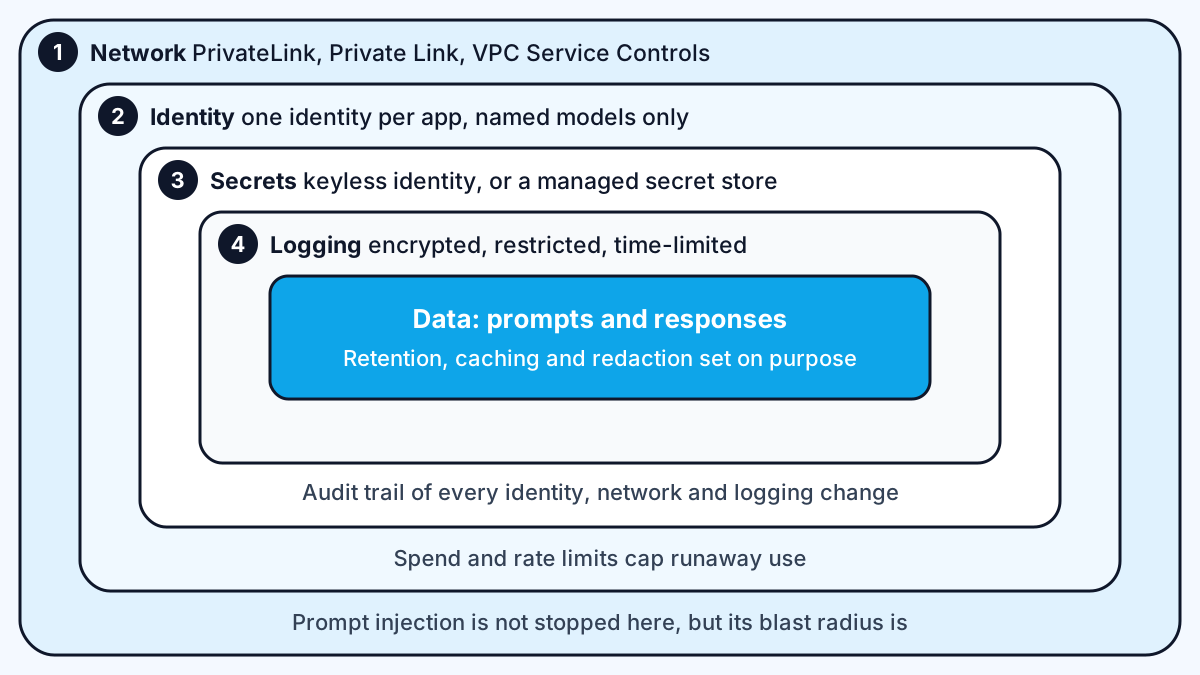
To secure an LLM app in the cloud, give it its own identity with permission to call only the models it needs, keep secrets out of code, keep model traffic on private network paths, log every call to a protected store, and set data retention on purpose. AWS, Azure and Google each have controls for all five, under different names.
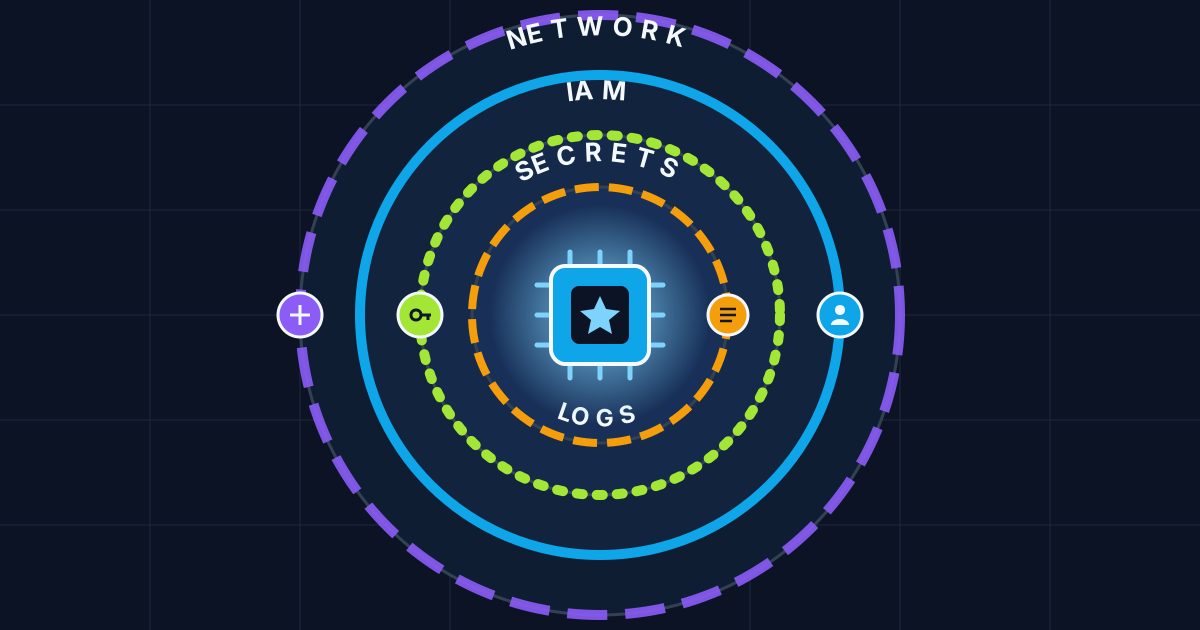
Security review is the gate most enterprise AI projects have to pass before go-live, and it is where many pilots stall. The good news is that a cloud-hosted LLM app does not need exotic controls. It needs the ordinary cloud controls applied carefully to a new kind of traffic, where prompts and responses are themselves sensitive data. This is the checklist I work through on client projects, mapped to each cloud's own documentation.
Why LLM apps need their own security pass
An LLM app moves the most sensitive thing your users type, their questions and documents, to a model endpoint and back, and often stores both. That makes three things different from a normal web app.
First, prompts are data. A support question may contain account numbers or health details, and so will the logs. Second, the model can be steered by its input. The OWASP Top 10 for LLM Applications 2025 puts prompt injection first, followed by sensitive information disclosure, and also lists excessive agency and unbounded consumption. Third, agents call tools, so a manipulated model can act with whatever permissions you gave it.
Cloud controls cannot stop prompt injection on their own, but they limit the damage: an agent that only has read access to one bucket cannot leak the whole account.
Step 1: least-privilege identity for the app
Give each app or agent its own identity and let it invoke only the models it needs. Never run an AI service under an administrator role or a shared key.
- AWS: an IAM role attached to the compute running your app, with a policy that allows invoking specific model or inference profile ARNs rather than every model. I walk through one such role in deploying a Next.js AI app on AWS Bedrock. AWS's Bedrock data protection page recommends that "each user is given only the permissions necessary to fulfill their job duties".
- Azure: Microsoft Entra ID with a managed identity. Microsoft's Foundry authentication guide says to "use Microsoft Entra ID for production workloads" and describes API keys as convenient for evaluation but coarse-grained. It names the Foundry User role for data-plane access to pre-deployed models, previously called Azure AI User.
- Google: a dedicated service account for the workload, granted only the roles it needs on the project that hosts the model.
For agents, apply the same rule to every tool. If an agent can read a database, give it a read-only database user scoped to the tables it needs.
Step 2: secrets, or better, no secrets
The safest key is the one that does not exist. On all three clouds, an app running on the cloud's own compute can call the model platform with its workload identity instead of a stored API key.
Microsoft's guide is explicit: API keys "provide full access to the resource and can't be scoped to specific users or actions". Its recommended path is to move callers to Entra ID and then remove key-based authentication, optionally disabling local authentication in deployment templates. Its feature table also shows that managed identity, least-privilege roles and per-request user attribution only work with Entra ID, not keys.
Where you must hold a secret, such as a third-party model key or a database password, keep it in the cloud's managed secret store, fetch it at runtime, rotate it, and never put it in the browser. The web-app side of this, including rate limits and what to do when a key leaks, is in protecting API keys in AI web apps.
Step 3: keep model traffic off the public internet
Private network paths stop data leaving through routes you did not plan for, and they give security teams a boundary they can audit.
| Control | AWS | Azure | |
|---|---|---|---|
| Private path or perimeter | Interface VPC endpoints with AWS PrivateLink, per the Bedrock VPC page | Private Link, listed for both keys and Entra ID in the Foundry auth guide | VPC Service Controls perimeters |
| Exfiltration guard | VPC endpoint policies and VPC Flow Logs | Conditional access with Entra ID | VPC Service Controls say they "help you mitigate the risk of data exfiltration" |
Google's page lists Gemini models and online inference requests among the artifacts that cannot leave a perimeter, and notes that some features are switched off inside one, such as live URL fetching. Test your full feature set inside the perimeter before go-live, not after.
Step 4: log every model call, and protect the logs
You cannot investigate what you did not record, but AI logs are themselves sensitive, so treat them like production data.
On AWS, Bedrock's model invocation logging is "disabled by default". Once enabled, it can capture "the full request data, response data, and metadata" to CloudWatch Logs or S3, including the identity of the caller. That is exactly what an incident review needs, and exactly what an attacker would want. So:
- Turn invocation logging on deliberately, and decide whether you need full bodies or only metadata.
- Encrypt the log destination with a key you control and restrict who can read it.
- Keep audit trails of who changed IAM, network and logging settings: CloudTrail on AWS, activity logs on Azure, audit logs on Google.
- Set an expiry on log storage that matches your retention policy.
Bedrock's page also notes that invocation logging only covers calls through the bedrock-runtime endpoint, so check which endpoint your SDK uses.
Step 5: decide what the provider keeps
Every platform has its own defaults for caching, abuse monitoring and storage. Read them for the exact model and feature you use, and write down what you chose.
- AWS: the data protection page explains that model providers "don't have access to Amazon Bedrock logs or to customer prompts and completions", because models run in deployment accounts operated by the Bedrock team.
- Google: the zero data retention page says Google's Gemini models cache customer data by default to reduce latency, deleted no later than 24 hours after it is written, and that you can turn caching off per project. It also lists features that retain data, such as Grounding with Google Search, which keeps query logs for up to three days.
- Azure: check the data, privacy and abuse monitoring terms for your deployment type. Claude on Foundry has its own hosting options, which I compared in Claude on AWS, Azure or Google Cloud.
Then reduce what you send. Redact identifiers the model does not need, and do not paste whole records when three fields will do. The written rules for staff belong in an AI usage policy.
The checklist
Before an LLM app goes to a security review, I check each of these:
- The app has its own identity, allowed to invoke only named models.
- Each agent tool has its own least-privilege credentials.
- No API keys for the cloud model platform; keyless identity instead.
- Any remaining secrets live in the managed secret store and rotate.
- Model traffic uses private endpoints or a service perimeter.
- Invocation logging is on, encrypted, access-controlled and time-limited.
- Audit logs cover identity, network and logging changes.
- Provider caching and retention settings are chosen and written down.
- Prompts are redacted to what the model needs.
- Spend limits and rate limits cap runaway or abusive usage.
Work with me
If your AI feature needs to pass an enterprise security review, I can set up the identity, network, logging and retention controls and document them for your security team. See AI integration and AI agent development, or look through my work.
Frequently asked
How do I secure an LLM app on AWS?
To secure an LLM app on AWS, run it under an IAM role that may only invoke the specific Bedrock models it needs, reach Bedrock through a PrivateLink endpoint, and turn on model invocation logging to an encrypted, restricted store. Keep any other secrets in a managed secret store rather than in code.
Should I use API keys or managed identity for Azure OpenAI and Foundry?
Use managed identity with Microsoft Entra ID in production. Microsoft's Foundry guidance recommends Entra ID for production workloads and describes API keys as coarse-grained secrets suited to quick evaluation, and features such as least-privilege roles and per-request user attribution need Entra ID.
Does Google cache my prompts in Gemini?
By default, Google's Gemini models on its Agent Platform cache customer data to reduce latency, and Google says the cache is deleted no later than 24 hours after it is written. You can turn caching off per project, and some features such as Grounding with Google Search keep their own logs.
Do model providers see my prompts on Amazon Bedrock?
According to AWS, no. Bedrock runs each provider's model in a deployment account operated by the Bedrock service team, and model providers have no access to those accounts, so they cannot see Bedrock logs or customer prompts and completions.
Sources
- OWASP Top 10 for LLM Applications 2025 (genai.owasp.org)
- Bedrock data protection page (docs.aws.amazon.com)
- Foundry authentication guide (learn.microsoft.com)
- Bedrock VPC page (docs.aws.amazon.com)
- VPC Service Controls (docs.cloud.google.com)
- model invocation logging (docs.aws.amazon.com)
- zero data retention page (docs.cloud.google.com)
Related services
Building something like this?
Naman Gundaniya takes on full-stack and AI projects fixed quote after a free 30-minute scoping call, replies within 24 hours.
Get in touch