 By Naman Gundaniya
How a Freelance FDE Uses AI to Ship a Client Pilot Fast
A freelance forward deployed engineer uses AI at every phase of a pilot: to research the client's domain, turn interview notes into a spec, write code with agents, generate and run evaluations, and draft client updates. The human keeps four decisions: what to build, whether the output is correct, what touches production, and what the client is told.
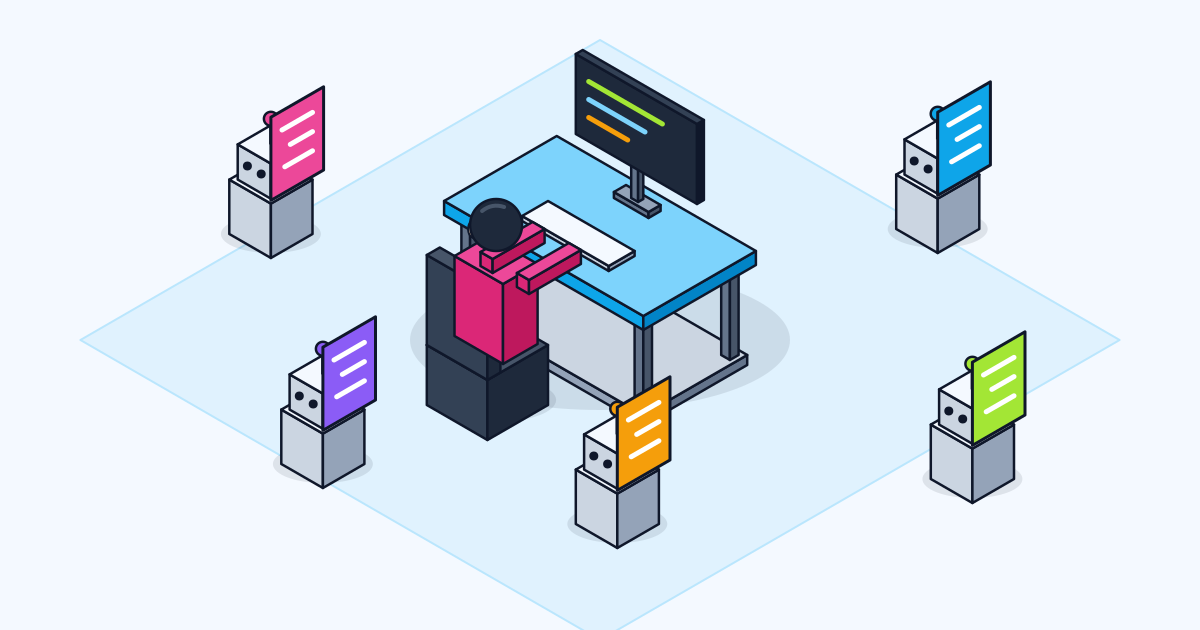
AI tools make a solo engineer faster, but not automatically. The research on this is mixed, and the reason is usually the workflow, not the tool. Used without structure, a coding agent produces plausible code you then spend hours checking. Used with a spec, a test and a review step, it takes over the parts of the job that were never the hard part.
This is how I use AI across a forward deployed pilot, phase by phase, and where I deliberately keep it out. I describe practice in general terms; tools change every few months, so the phases matter more than the product names.
Why an AI workflow matters for a solo engineer
A freelance FDE covers discovery, design, build, evaluation and handover alone, so any phase that slows down slows the whole pilot. AI helps most when it removes the low-judgment work in each phase and leaves the decisions to the engineer.
The evidence says speed is not guaranteed. METR's 2025 study of 16 experienced open-source developers found they took 19% longer to complete issues with AI tools, while expecting to be 24% faster. METR's February 2026 update suggests developers are probably faster now, but calls its own new data "very weak evidence" of how much, partly because many developers no longer wanted to work without AI at all.
Developers also report a trust problem. In the 2025 Stack Overflow survey, 84% were using or planning to use AI tools, yet 46% distrusted the accuracy of the output and 66% named "AI solutions that are almost right, but not quite" as their top frustration. I wrote about that failure mode in almost-right AI code. A workflow is how you get the speed without inheriting the "almost right".
Discovery and research: AI as a fast reader
In discovery, I use AI to read faster, not to decide what matters. The interviews, the shadowing and the choice of the first win stay human.
What AI does well here:
- Domain catch-up. Before day one, summarising public material on the client's industry, its regulations and its jargon, so I ask better questions. Anything I rely on, I check at the source.
- Interview notes to structure. Turning raw notes into a list of pain points, each tied to who said it. I read the original notes again before the readout; summaries lose the details that matter.
- Sample triage. Grouping a batch of real documents or tickets by type, so I know which awkward cases to read by hand.
What stays human: deciding which problem is worth solving, and the conversation with the sponsor. The steps are in my FDE discovery playbook.
Data rules come first. Client data only goes into tools the client has approved, under business terms and its data protection rules. Anthropic, for example, states that by default it will not use inputs or outputs from its commercial products to train models. Even so, I confirm which tools are allowed before I paste anything.
Spec and design: interview, then write it down
Before any code, the pilot gets a short written spec, and AI helps produce it by asking me questions rather than inventing answers. This is the phase where AI saves the most rework later.
Anthropic's own guidance for Claude Code describes the pattern: ask the agent to interview you until it could write the spec, save it as a file, then start a fresh session to build from it, "so the build begins with a clean context and a written definition of done". I use the same idea with the discovery scope as input: the agent asks about edge cases, error handling and what is out of scope, and I answer from what I learned on site.
The spec then becomes three things: the brief for the coding agent, the checklist for review, and a document the client can read. I go deeper on this in spec-driven development with AI.
Build: coding agents with a check to run
In the build phase, coding agents write most of the first draft of the code, and the engineer's job shifts to setting them up well and reviewing what they produce. The setup matters more than the prompt.
Three habits make the difference:
- Give the agent the project context it cannot see. A short project instructions file with the commands to run, the conventions, and the things it must never touch, such as production credentials. I cover what belongs in one in how to write a CLAUDE.md.
- Give it something that returns pass or fail. The Claude Code guidance puts it simply: give Claude a check to run, such as a test file, a build or a linter, so it can close the loop itself instead of stopping when the work merely looks done.
- Review with fresh eyes. The same guidance suggests a review by a session that never saw how the code was written, because it "isn't swayed by the reasoning that produced the code". I still read every diff that reaches the client's repository myself.
What stays human: anything that touches production, permissions or money. Agents work in the client's development environment with least-privilege credentials, and deployment is a step I take deliberately.
Evaluation and client updates
Evaluation is where AI is most useful and most dangerous, because a model can generate test cases faster than anyone can check them. I let AI draft cases and run them; the client's people and I decide what counts as correct.
Evaluation. The core of the evaluation set comes from real examples gathered in discovery, with expected outputs agreed by the people who do the work. AI then helps in three ways: proposing variations and edge cases from those examples, running the set on every change, and summarising which cases regressed. Generated cases are reviewed before they join the set; otherwise you end up testing the model against its own assumptions.
Client updates. A short written update each week keeps a remote pilot on track. AI drafts it from the commit history, the evaluation results and my notes: what shipped, what the numbers say, what is blocked, what decision I need. I edit every one before it goes out, because tone and bad news are judgment calls, and the client is trusting my name, not a model's.
Handover, and where AI stays out
At handover, AI drafts the runbook, the architecture notes and the explanation of each evaluation case; I check them against the running system and walk the client's team through them in person or on a call. A runbook nobody has tested is a guess.
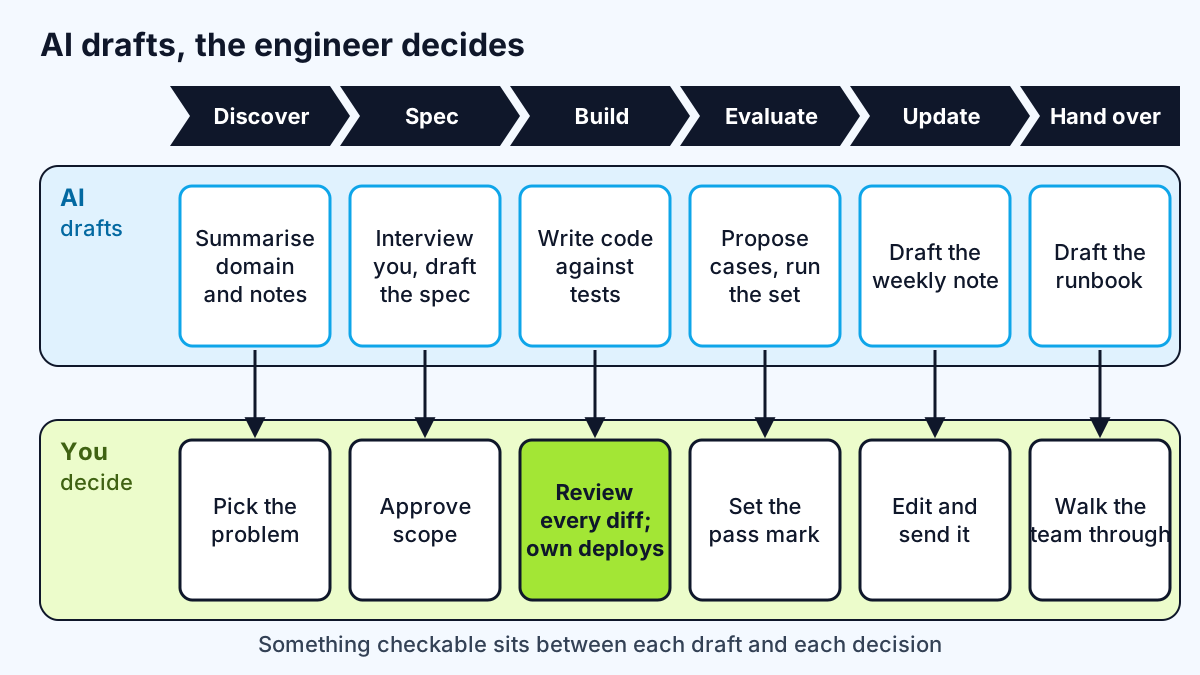
To summarise where the line sits on every pilot:
| Phase | AI does | The engineer decides |
|---|---|---|
| Discover | Summarises domain material and notes | Which problem to solve |
| Spec | Interviews me, drafts the spec | What is in and out of scope |
| Build | Writes code against the spec and tests | Every diff that ships; anything touching production |
| Evaluate | Proposes cases, runs the set, reports regressions | What counts as correct and the pass mark |
| Update | Drafts the weekly note | What the client is told |
| Hand over | Drafts runbook and docs | Whether the client can run it without me |
The pattern is consistent: AI drafts, a human decides, and something checkable sits between them.
Work with me
I run fixed pilots as a freelance forward deployed engineer, using this workflow to move quickly while keeping every decision visible to the client. See AI agent development and full-stack development, browse my work, and book a scoping call.
Frequently asked
What is a good AI workflow for engineers?
A good AI workflow for engineers gives the model a written spec, a check it can run such as tests or a build, and a review step by someone or something that did not write the code. The engineer keeps decisions about scope, correctness, production access and communication.
Do AI coding tools make developers faster?
AI coding tools can make developers faster, but the evidence is mixed. A 2025 METR study found experienced developers were 19% slower with AI on their own projects, while a 2026 update suggests they are probably faster now, with weak evidence on how much. The workflow around the tool largely decides the result.
Is it safe to use AI tools with client data?
It can be, if the client approves the tools and they run under business terms that exclude training on your data. Confirm the client's rules before sharing anything, use the minimum data needed, and keep production credentials away from coding agents.
Should a freelancer tell clients they use AI tools?
Yes. Clients should know which tools touch their data and code, and many have policies that require it. Being clear also sets the right expectation: AI drafts, and the engineer remains accountable for everything delivered.
Sources
Related services
Building something like this?
Naman Gundaniya takes on full-stack and AI projects fixed quote after a free 30-minute scoping call, replies within 24 hours.
Get in touch